Building Grist, weekly loot for AI tools from my product design work
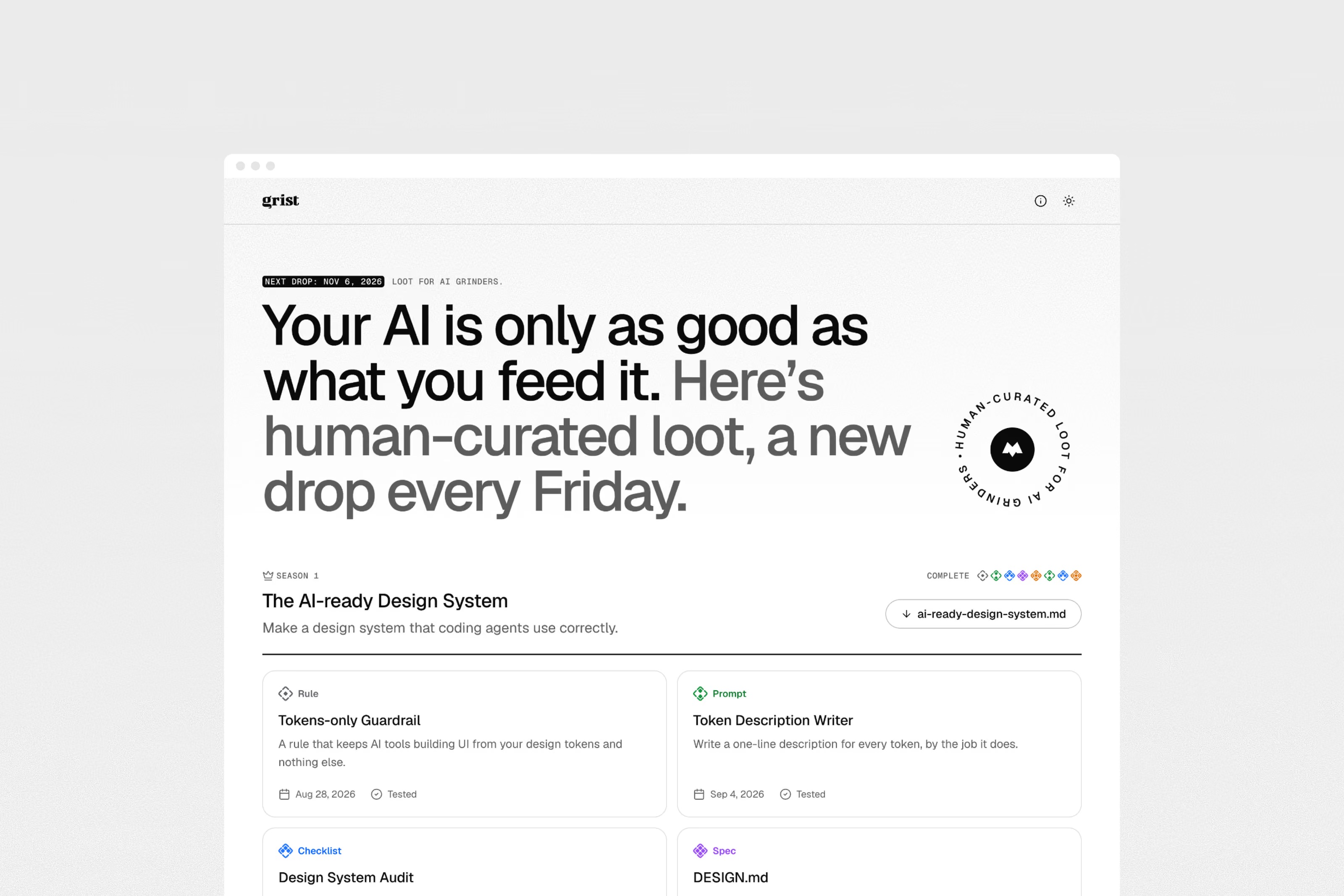
Grist is my side quest in the world of AI. It's a growing collection of prompts, skills, rules and experiments for product design, with a new drop every Friday. Each drop comes with a short note on why I use it and a file you can paste straight into Claude, Cursor or a CLAUDE.md. I designed and built all of it, from the rarity system to a plugin marketplace for Claude Code.
- My role
- Design Engineer
- Industry
- AI Tools
- Business
- Side Project
- Date
- 2026
My role
I designed and built Grist by myself, and I write every drop. The ideas and the judgement are mine. Claude helps me format the files and build the site, inside rules I set for it.
Key achievements
- Designed a drop format that works for two readers, a person on the page and an AI tool reading the file.
- Made a rarity system of six tiers, so you can tell at a glance how much setup a drop needs and how much it gives you.
- Planned eight seasons of eight drops, one every Friday, with locked cards that tease what’s coming.
- Turned the skills and workflows into a Claude Code plugin marketplace, hosted on the site itself.
- Put a human checkpoint into publishing, so nothing Claude wrote for me goes live until I’ve read it.
Why I made it
I’ve been using AI tools on real product work for a while now, for clients and on my own projects. Along the way I kept writing the same things again. A rule for a CLAUDE.md, a prompt for a design system audit, a checklist for reviewing an agent before it ships. They lived in random files and chats, and every new project started from a blank page.
So I started putting them in one place, with a short note on why I use each one. Tested means I’ve used it on real work. Trying means I’m still finding out. I wanted every drop to be honest about which one it is.
Objectives
- One drop a week, short enough to read in a few minutes and use the same day.
- Every drop useful to a person and to an AI tool, without writing it twice.
- A clear sense of how deep a drop goes before you open it.
Rarity says how deep a drop goes
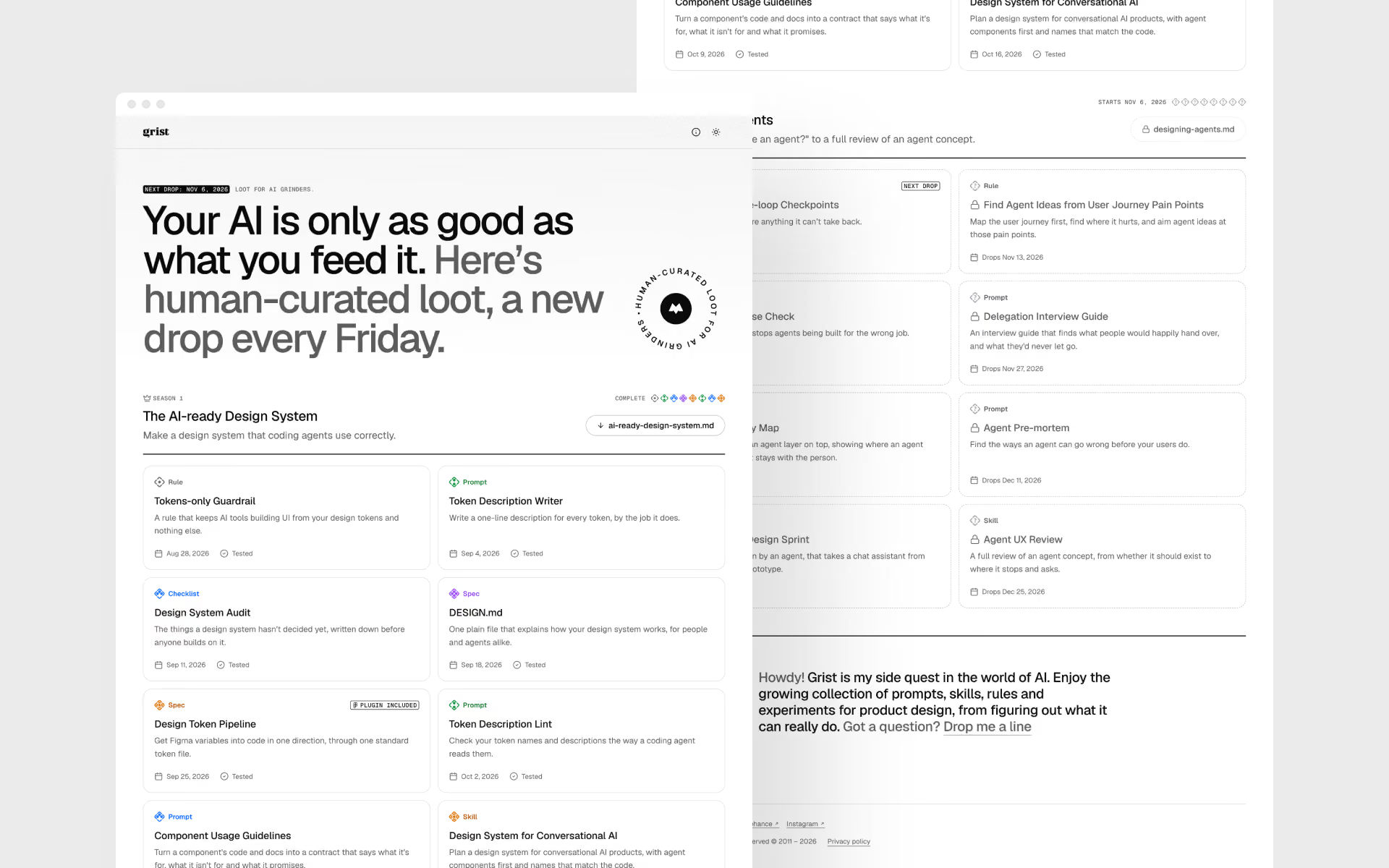
Every drop has a type, which is its format, and a rarity, which is how deep it goes. I set the rarity by hand. A short checklist can be Common, and an advanced one can be Rare. Higher tiers take more setup and give you more.
- Common. One idea you can use straight away, like a rule or a short prompt.
- Uncommon. Needs a little setup. A prompt with blanks to fill, or a checklist with steps.
- Rare. Goes deeper. A full review checklist, a longer prompt or a simple skill.
- Epic. A template you fill in, with a worked example. Usually a spec or a bigger skill.
- Legendary. A whole kit to install, with examples and a note on when not to use it.
- Ultra. Several skills and a reviewer agent chained into one workflow. It stops for your approval along the way, and comes with a sample run.
The tiers aren’t only a label. Each one sets what a drop has to carry around the loot. From Uncommon up it needs steps, from Epic up a worked example, and a Legendary or Ultra drop has to say when not to use it. The build checks this, so a drop can’t claim a tier it doesn’t earn.
I borrowed the names from games on purpose. People already know that Legendary is above Epic, so I didn’t have to explain the order. Each tier has its own tile icon and colour, and the name always sits next to the icon, so colour is never the only signal.
A page for people, a file for agents
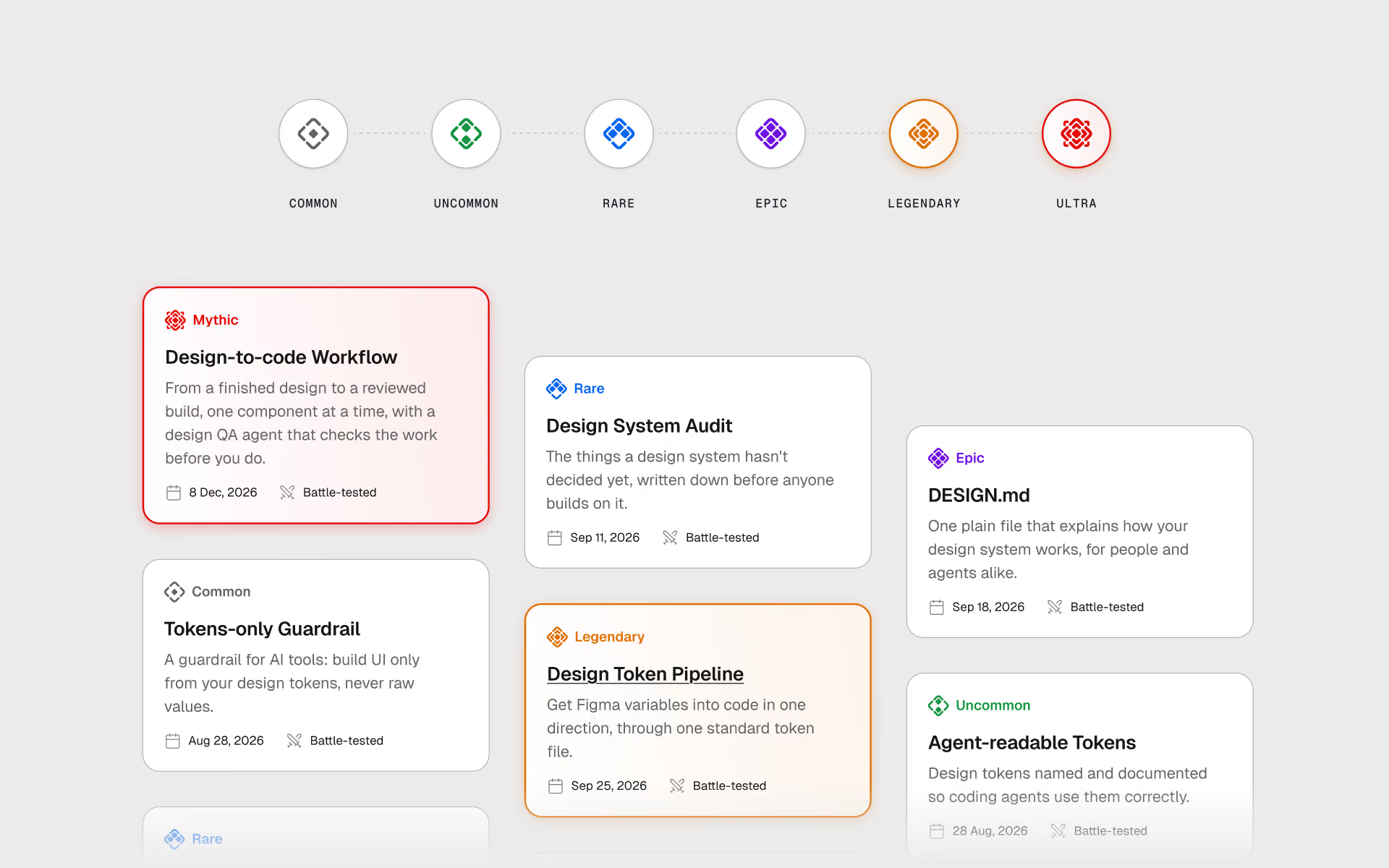
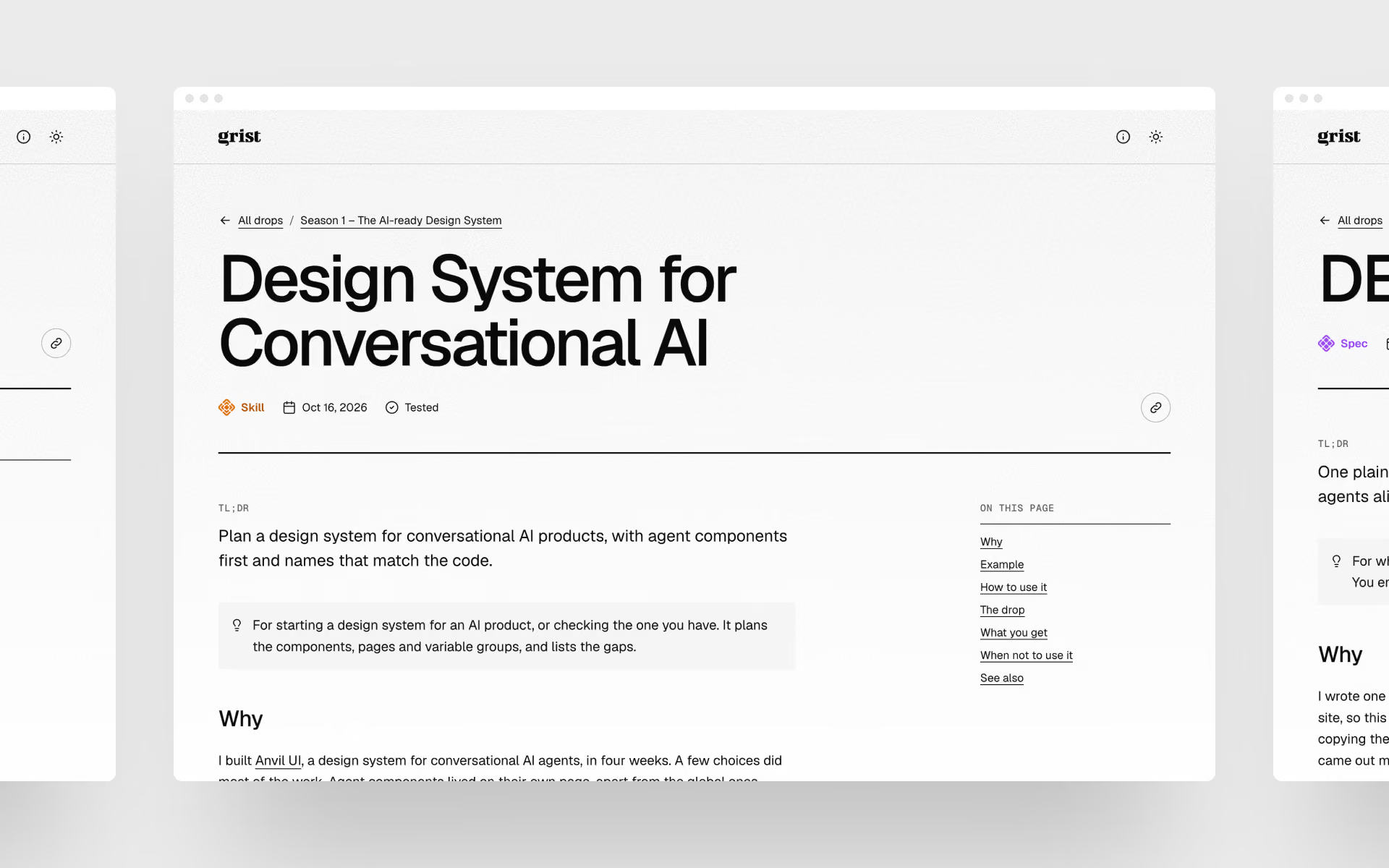
This was the main design problem. A person wants to know why a drop exists and whether it’s for them. An AI tool only needs the loot itself, clean and with nothing around it.
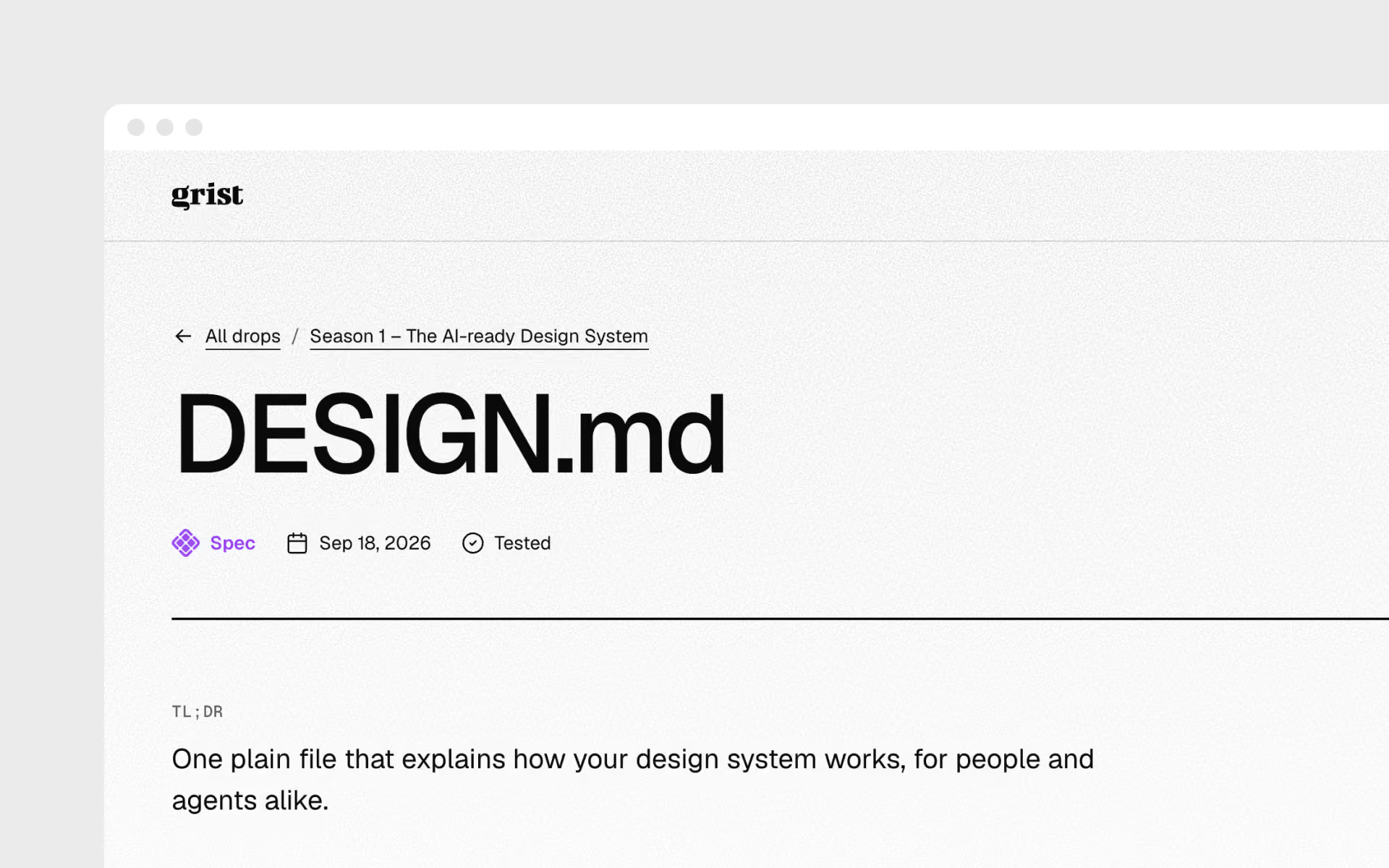
So every drop is two things. The page has my note, a one-line hint on when to use it, the type, the rarity and whether it’s Tested or Trying. Under it sits the loot, with Copy for AI and Download. The same drop also lives as plain markdown, and adding .md to any address gives you that version. There’s a file with only the loot, a pack for each finished season and an llms.txt for the whole collection, so an agent can read Grist without scraping the page.
Skills and workflows download as a .zip you can drop straight into .claude/skills/. The bigger drops show a sample run under the loot, so you can see what you get before you install anything.
Seasons and Friday drops
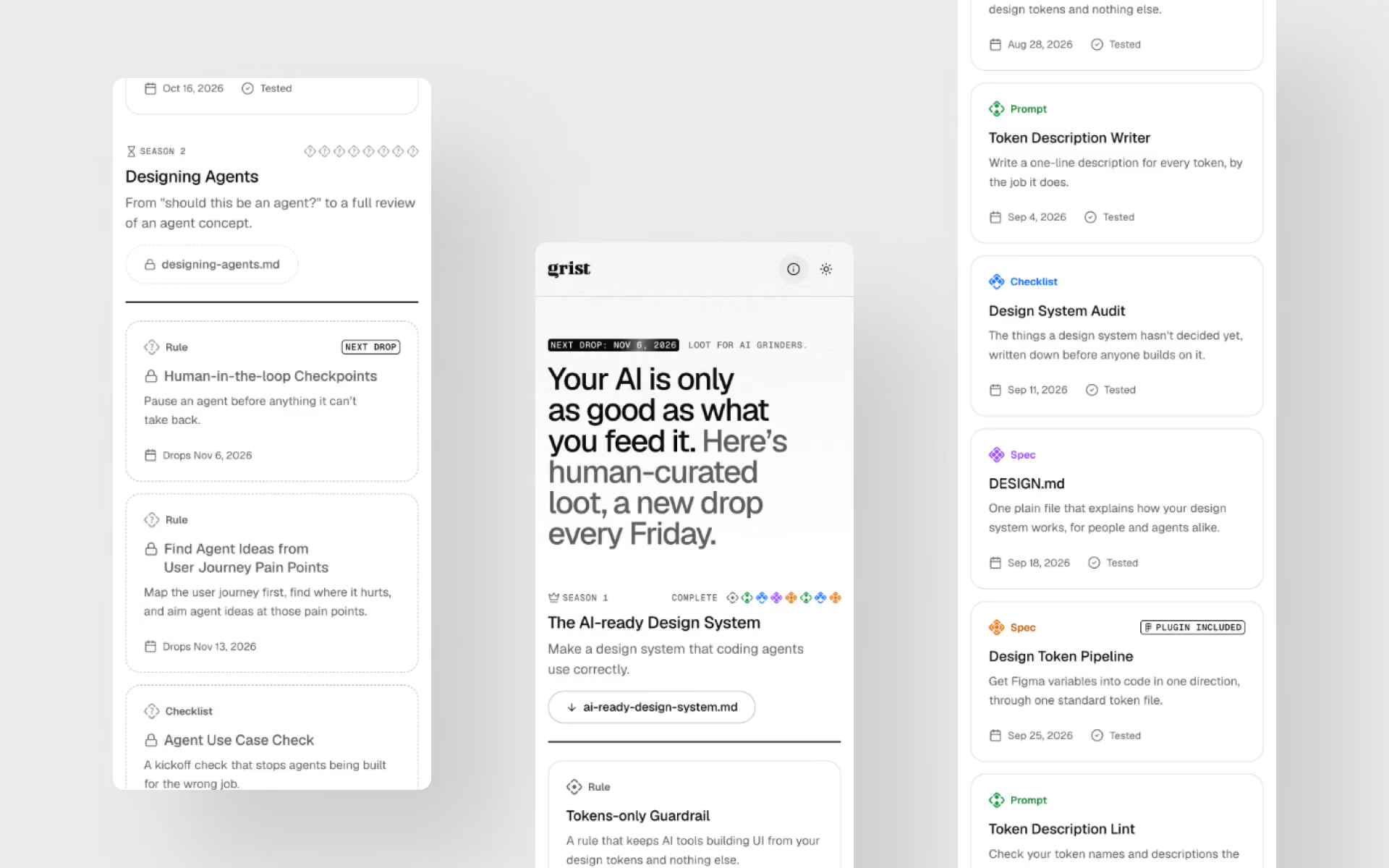
Drops come in seasons of eight, like a battle pass. The first one is about the AI-ready design system, the second about designing agents, and later ones go into scoping AI work, handoff to coding agents, trust and memory, and critique with AI.
A season shows all eight slots from the start. Each slot unlocks on its Friday, and the site rebuilds itself that morning to let it out. Before that, a reviewed drop shows only its title and a lock, and the tier stays hidden until drop day. It gives people a reason to come back on Fridays.
Shipping beyond the site
Some drops work best inside the tools themselves. Grist is also a plugin marketplace for Claude Code, hosted on mlynarz.com. You add it with one command, and then install any skill or workflow by its name. When I change a drop, people who installed it get the update.
One drop, Design Token Pipeline, ships with a Figma plugin I made. It exports Figma variables as design tokens in the W3C format, so a build tool like Style Dictionary can read them.
I also had to decide how people can use all of this. Drops are under CC BY 4.0, so anyone can use and change them at work as long as they credit me. I left out the non-commercial version, because most people would use a drop at their job. The plugin code is under MIT, because Creative Commons advises against its licences for software.
Building it with an agent, with a checkpoint
I built Grist the same way I built Anvil UI, with an AI coding agent doing a lot of the typing. The project rules fix the stack, the tokens and the voice, and the agent checks its work in a real browser before it asks me to look.
Writing is where I was most careful. The ideas and the Why in each drop are mine. When Claude adds something I didn’t write, it leaves a note in the file, and a production build refuses to publish a drop that still has one. It’s the same rule as in my Human-in-the-loop Checkpoints drop. The agent pauses before anything that speaks for me.
What I learned
Designing for an agent as a reader changed how I write. A note for a person can lean on context, and a file for an agent can’t. Keeping both in one source made me cut a lot of words I didn’t need.
I also learned to try things and take them out. The pixel gems, the card foil and the embers all looked fun in my head, and none of them made a drop easier to use. What I want next is to keep the drops coming, and to hear from people which ones they actually use.