Launched Chrome extension for designers used by 500,000+ people every week
CSS Peeper is a smart Chrome extension with point-and-click CSS viewer tailored for designers that do not code. Used by 500,000+ designers from all over the world every week.
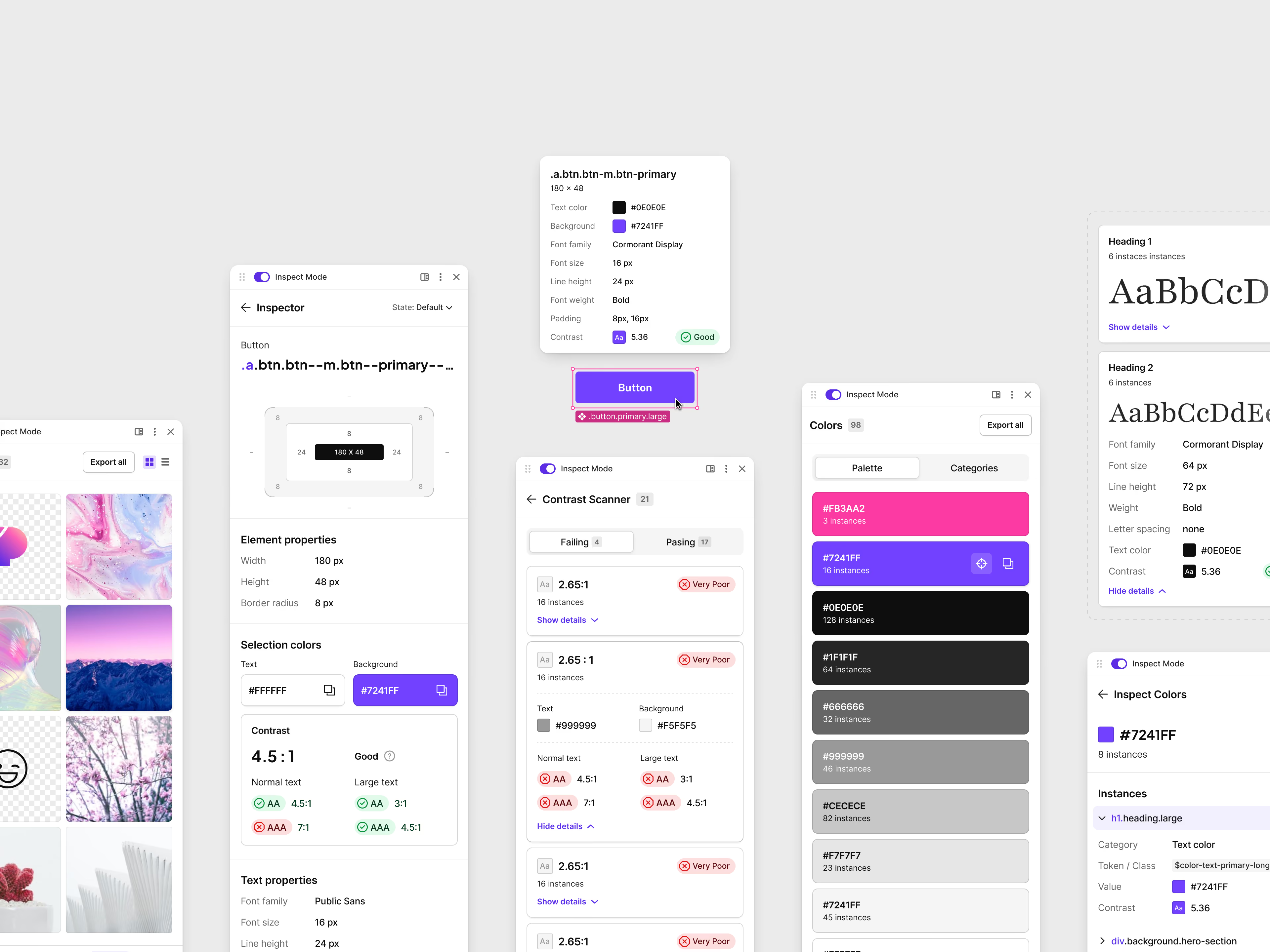
- My role
- Co-Founder / Founding Designer
- Industry
- Chrome Extension
- Business
- SaaS
- Date
- 2016–2026
My role
In 2016 I came up with CSS Peeper, a Chrome extension that shows designers a website’s styles without opening the code inspector. I brought the idea, designed the product and did all the branding: the name, the logo, the colors, the website. My friend Jędrzej Sadowski built the first version. Years later, Kamil Wiśniewski took over development and the two of us relaunched it as a paid product.
Key achievements
- Took the product from an idea to a launched extension, and designed every version since.
- Grew it to 500,000–600,000 weekly active users and around 4 million installs, without spending anything on ads.
- Kept that weekly number steady for more than six years. It sits in roughly the top 1% of the Chrome Web Store and has been in the top 10 of Developer Tools for years.
- Got featured by the Chrome Web Store team and recommended by design educators like Zander Whitehurst.
- Redesigned and relaunched it in 2025 with a freemium model, after eight years of being free.
- Made it self-sustaining: subscriptions cover our running costs and pay for maintenance and bug fixing.
- Weekly active users, steady for more than six years
- 500K+
- Installs since 2016, with nothing spent on ads
- ~4M
- Of free trials turn into paid plans
- ~35%
Where it started
Imagine you’re working on a redesign of a digital product without a style guide to refer to. Probably the first thing you’d do is go to the product website to check the brand: colors, typography, spacing, imagery and icons.
At that point you probably want to inspect some CSS, grab the color palette or download a few assets. The question is: how do you get all of that without digging in the browser’s code inspector?
I couldn’t find a tool that did it well. There were plenty of extensions, but most were poorly designed and only solved small parts of the problem. So I decided to make my own. I showed the design concept to my friend Jędrzej Sadowski, a front-end developer with a can-do attitude, and we started.
Designing the first version
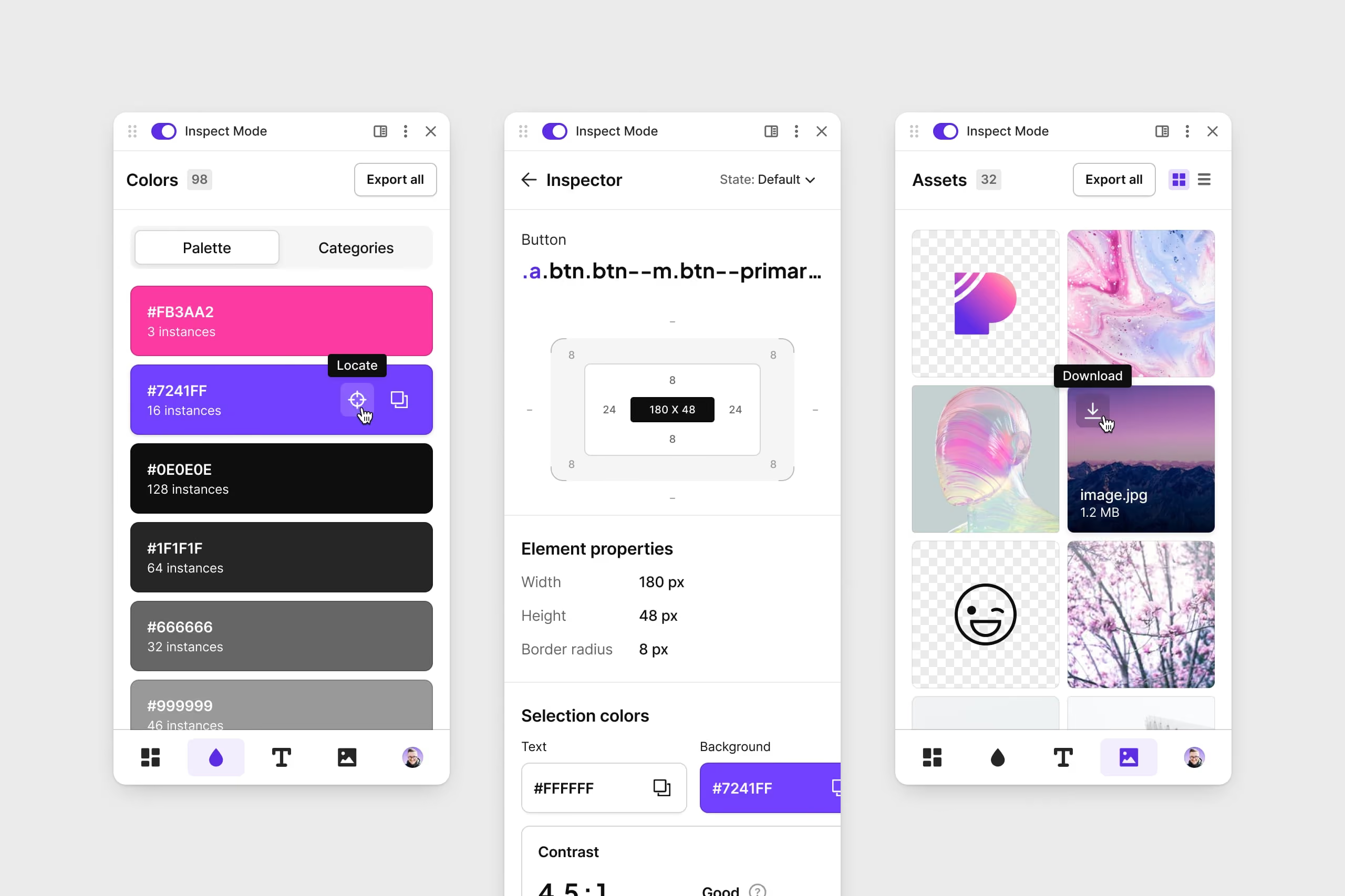
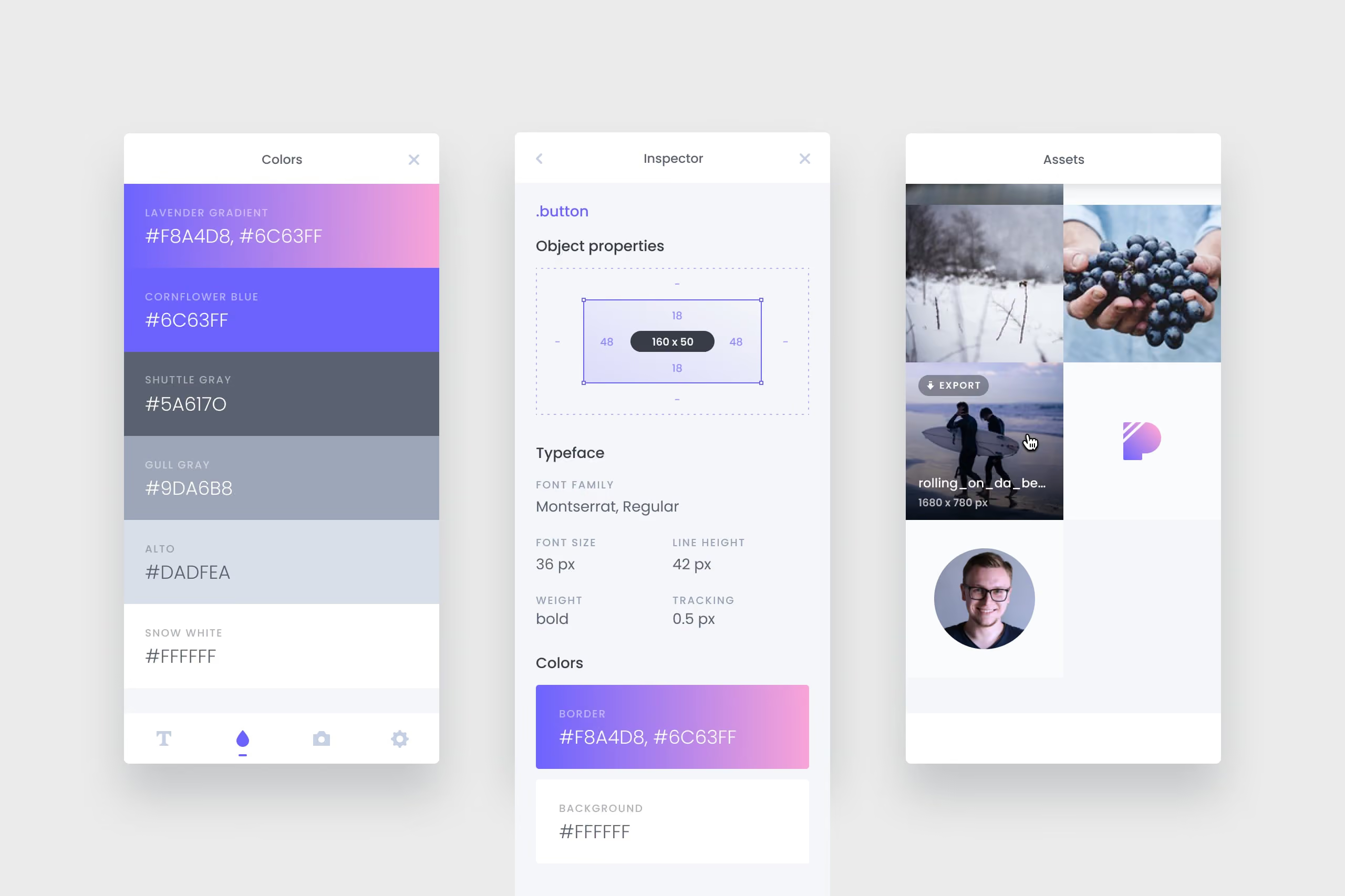
I wrote a wish list for the MVP, based on what I was missing in my own work:
- see the styles used on a website in one place,
- check the typography (font family, size, line height),
- get every color on the page without inspecting elements one by one,
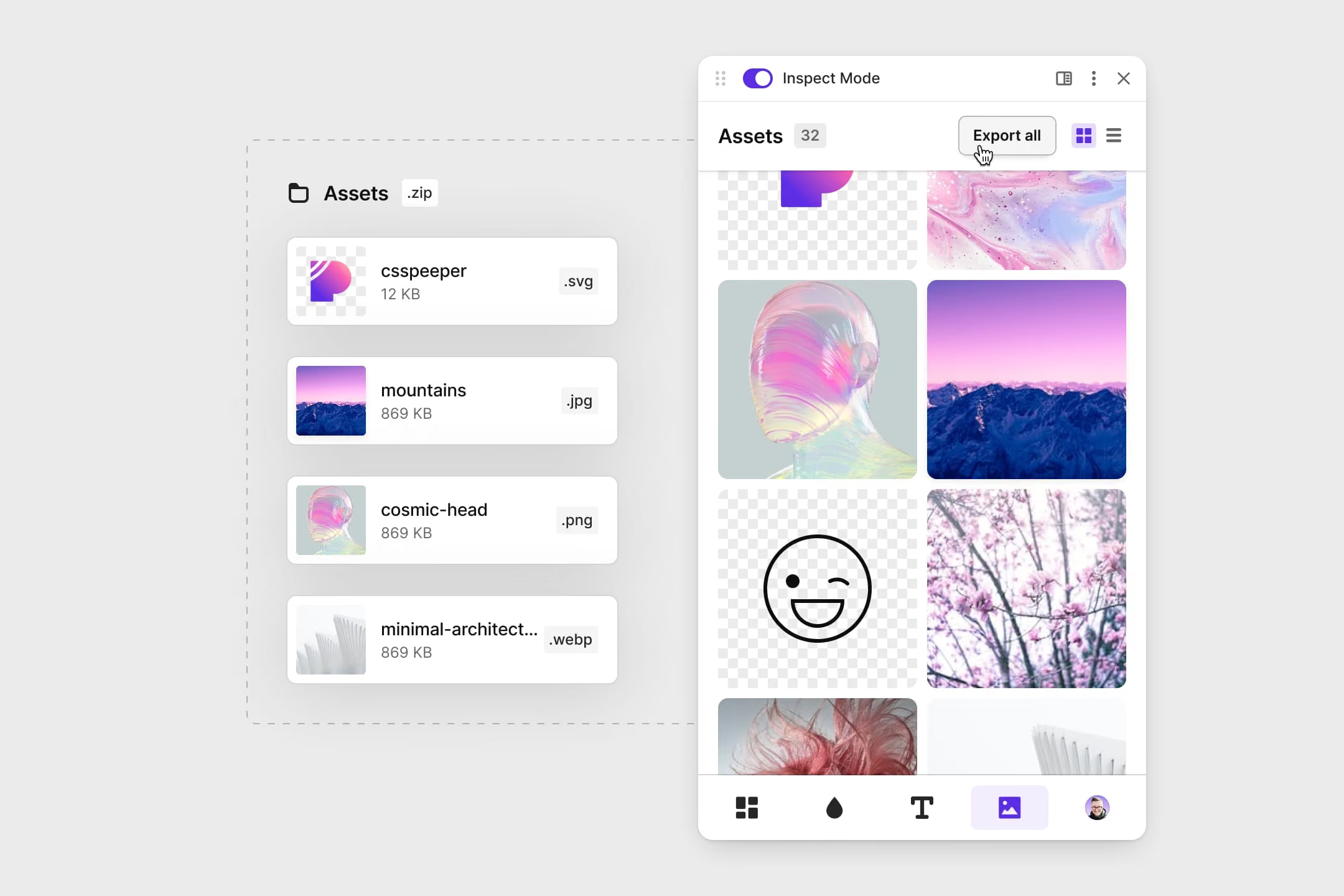
- download assets (PNG, SVG, JPG) in one click,
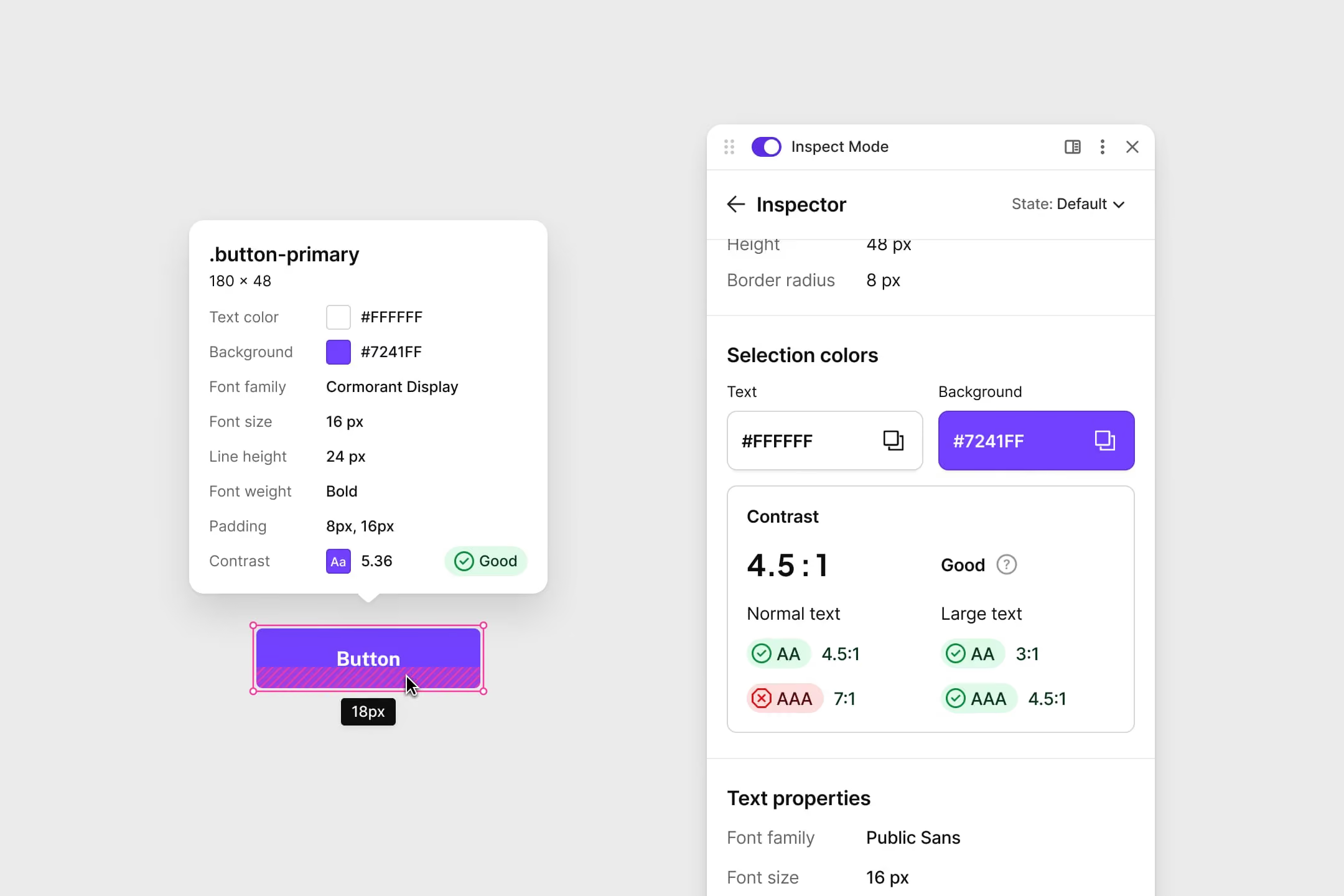
- inspect a single element to get its measurements, padding, shadows and hover states.
Designing for designers is hard. We notice things other people don’t, so the first impression had to be right. I’ve always believed that how an interface looks matters as much as how it works, and I wanted CSS Peeper to stand out from the tools it was replacing. It was made with designers who don’t code in mind, but in the end developers and people who just want to grab a color use it too.
Launch and the first users
We launched in December 2016. Three days later a popular design blog featured it, and we had over 16,000 users within the first two weeks. After that came Product Hunt, posts going viral on social media, design newsletters and a feature from the Chrome Web Store team.
We read every piece of feedback. People loved how colors were presented but couldn’t copy them, which was the most common complaint. So the next version, at around 30,000 users, made the interface cleaner, let you copy color values straight into design tools, showed assets as bigger thumbnails, and turned the inspector’s plain text into a visual view of padding and margins.
Steady growth
Between 2017 and 2024 CSS Peeper kept growing on its own. We never paid for a single ad. People found it by searching the Chrome Web Store, or because a colleague showed it to them, and it stayed in the top 10 of Developer Tools.
Only recently did I sit down with the Chrome Web Store stats properly, and they surprised me. Between 500,000 and 600,000 people use CSS Peeper every week, and that number has barely moved in more than six years. Over the same time it has been installed around 4 million times, which puts it in roughly the top 1% of all extensions in the store.
The gap between those two numbers is the part I find most interesting. People leave extensions all the time. They get a new laptop, reset their browser, change jobs or simply stop needing it. For the weekly number to stay flat for six years, new designers had to keep arriving as fast as others left, month after month, with nobody promoting it.
I think it held because CSS Peeper solves something designers run into several times a week, and it stays out of the way until they need it. You click the icon and the page’s styles are there. That’s the whole onboarding.
It was still a free tool, though. Half a million people used it every week and it earned nothing, so every update and bug fix came out of our spare time.
We wanted to give those people more than spare time allowed, and that’s what led to the relaunch.
The relaunch
In 2024 I teamed up with Kamil, who took over development, to rebuild CSS Peeper and give it a way to fund itself. We both had full-time work, so it was evenings and weekends, for about six months, with countless hours spent getting it right for people who had relied on it for years.
I redesigned the extension and the website. The main changes:
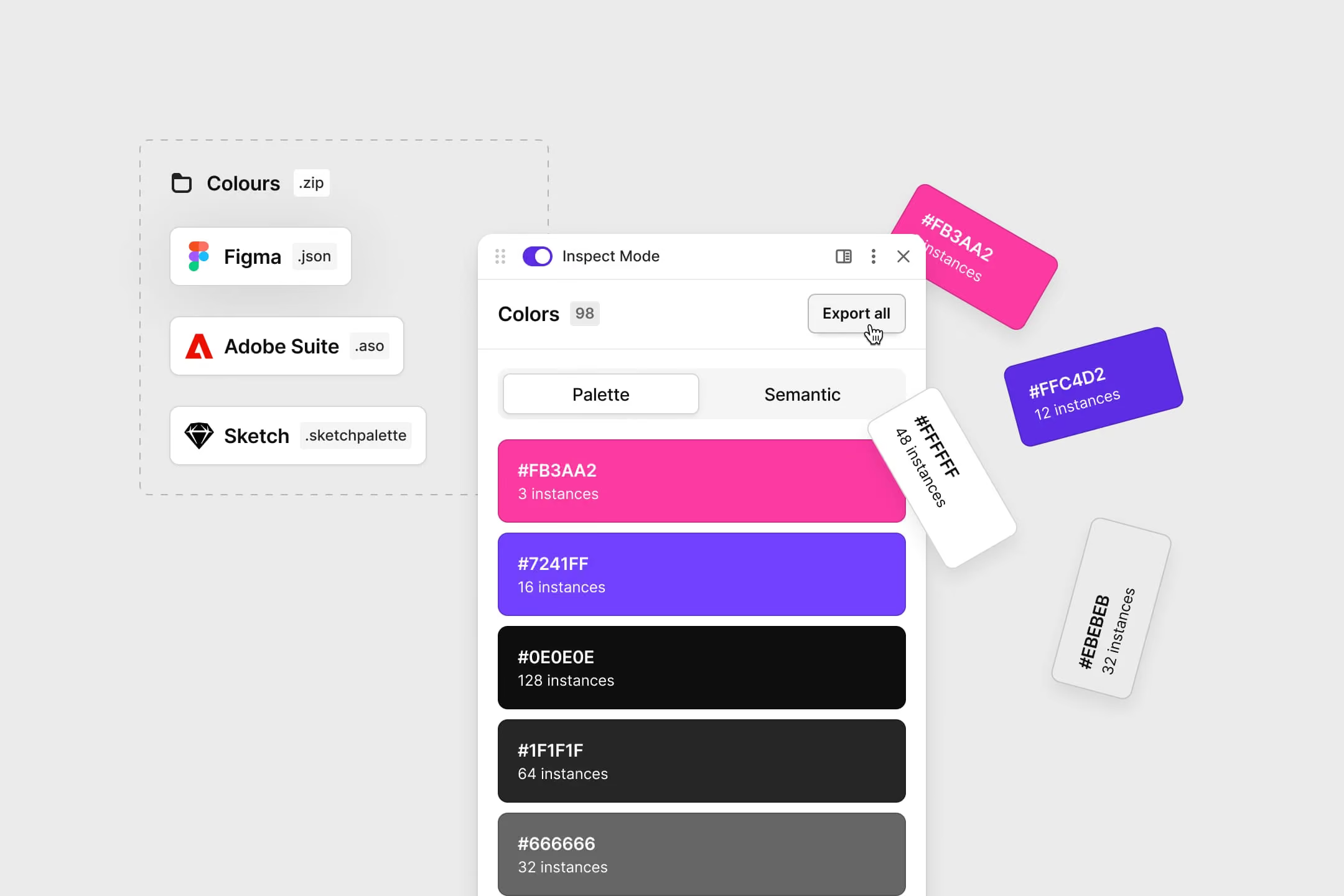
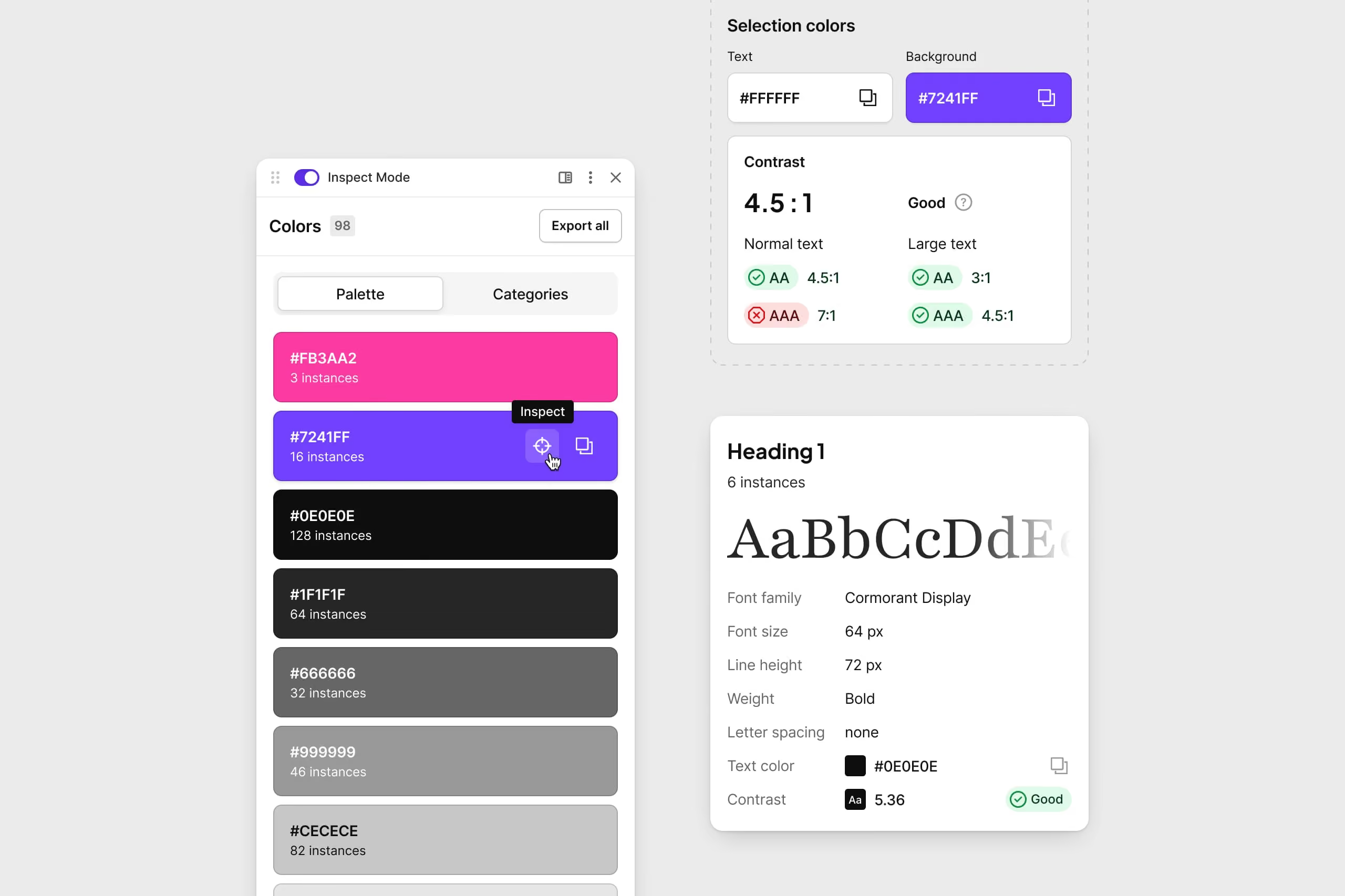
- Colors now show every color on a page, and paid plans group them into text, background, border and shadow, so you can export a palette to Figma, Sketch or Adobe tools.
- Typography lists every font and text style on a site, from headings to body text.
- Contrast checker shows if text is readable and accessible.
- Assets lets you browse, download one by one or export everything.
The new version launched in March 2025.
Making it pay for itself
Monetizing a Chrome extension is hard. People expect extensions to be free, and ours had been free for eight years. We didn’t want to take anything away from the people who used it every day, so the core features stayed free. The new, advanced ones went into two paid plans, Professional and Ultra, with a free 7-day trial.
Not everyone liked it. Some reviews from that time are angry, which we expected when a free tool starts asking for money. We still think the split is fair, and the trial numbers back it up: around 35% of people who try a paid plan keep it.
It’s side-project income, not a startup. But it covers our Vercel and Firebase costs and lets us put money back into making the tool stable, fixing bugs and keeping it maintained, which we couldn’t really do while it was free.
Key Takeaways
CSS Peeper is the product where I’ve done every part myself, from the idea and the first sketches to the brand, the pricing and answering users. Half a million people open something every week that I designed because I needed it myself.
The relaunch taught me what clients go through when they ask users to pay for the first time: you redesign, you decide what goes behind the paywall, and then you read the reviews. Doing it on evenings and weekends made every decision count.
It also changed how I think about growth. Launch week brought us 16,000 users, which felt huge at the time. Looking back, what kept CSS Peeper going for years was being useful on an ordinary Tuesday, quick to open and out of the way the rest of the time. I’d much rather design something people keep.